Local AI Assistant
Synra on Jetson Orin Nano
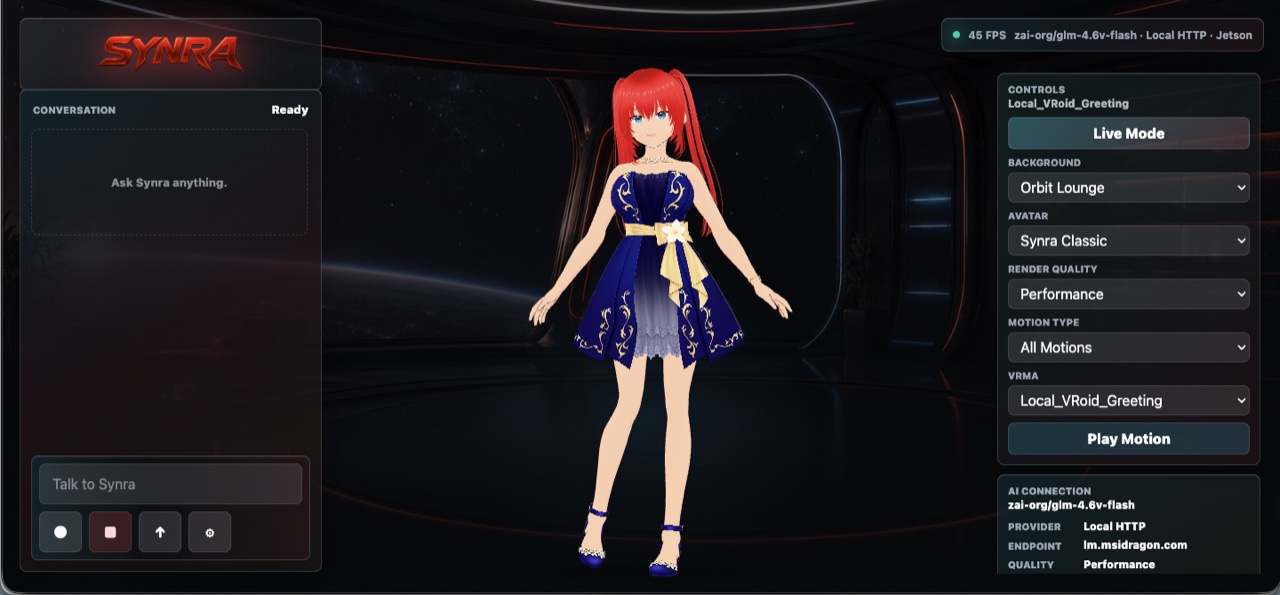
Run Synra as a local assistant station on Jetson Orin Nano with a focused avatar surface, cached assets, adaptive rendering, OpenAI-compatible model routing, and optional NodeSparkHub or Home Assistant integrations.
NodeSpark, NodeSparkHub, and Synra work together as the flagship Synryzen automation ecosystem.
Why this matters
Local assistant appliance
Use a Jetson as a dedicated Synra station for voice, chat, avatar presence, model status, and automation guidance.
Performance-minded runtime
Keep assets cached, target a stable frame rate, reduce heavy visuals, and use adaptive rendering for appliance-style use.
Optional automation bridge
Connect NodeSparkHub and Home Assistant only when the runtime should become part of the automation system.
How to think about the workflow
- Download Synra from GitHub.
- Install Node and dependencies on the Jetson.
- Build the Synra frontend and run the same-origin local server.
- Point Synra at a local or cloud OpenAI-compatible model endpoint.
- Launch Chromium in kiosk mode for a dedicated assistant station.
Standalone Synra
A local assistant surface for real rooms and workspaces.
The Jetson path turns Synra into a local companion runtime instead of only a browser demo.
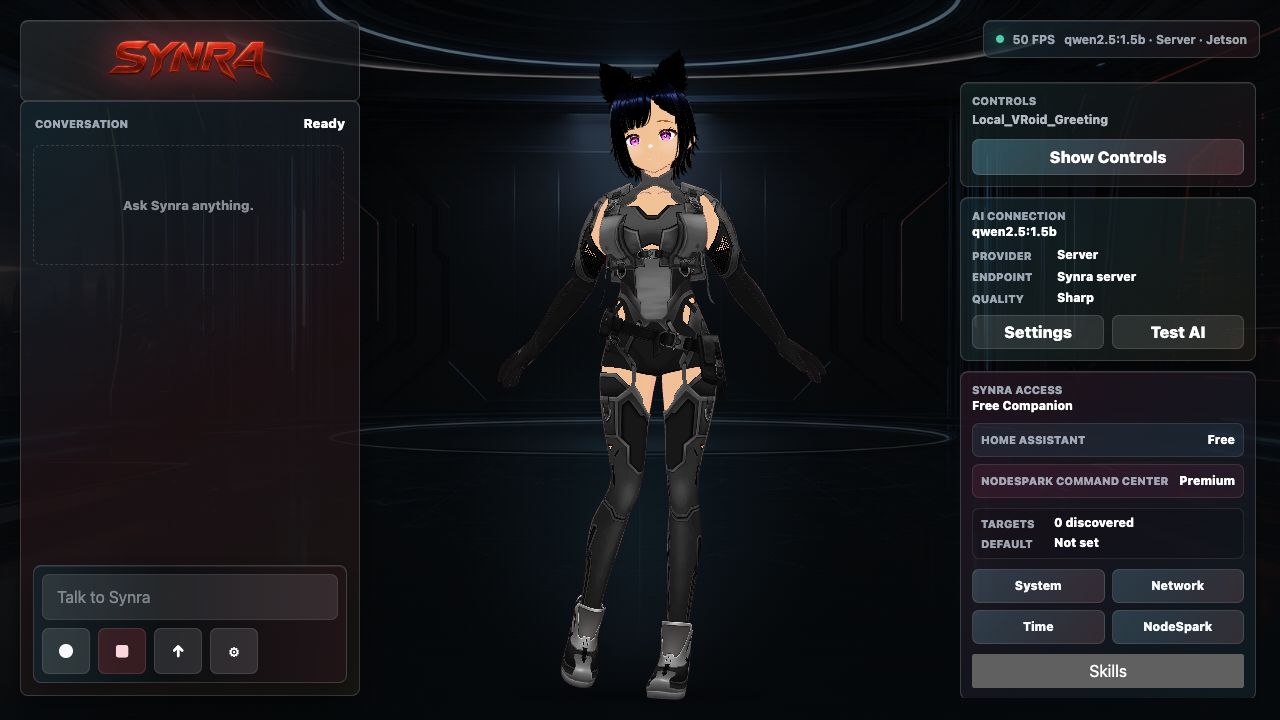
Jetson Standalone Runtime
Synra can run as a local AI companion on Jetson Orin Nano.
Synra Standalone is built as a lean local assistant surface: the avatar, conversation panel, model status, speech controls, memory, smart-home tools, and optional NodeSpark integration without carrying the full workflow-builder UI onto the device.
Jetson kiosk install
Install Synra from the GitHub project, build the Vite/TypeScript app, run the same-origin Synra server as a user service, then launch Chromium in kiosk mode against the local Synra URL. Jetson mode uses cached avatar and motion assets, a 30 FPS target, adaptive rendering, and lighter visual settings for reliable appliance-style use.
Local or cloud model path
Synra talks to an OpenAI-compatible endpoint, so advanced users can point it at local model servers such as Ollama or LM Studio-style endpoints, or a cloud-compatible provider. Direct commands can bypass the model for faster status, settings, and control responses.
Safe standalone boundary
Synra Standalone does not replace NodeSpark or NodeSparkHub. It is the companion runtime: conversation, avatar state, local preferences, model routing, smart-home tools, and optional integrations stay separate from workflow editing and Hub execution.
Connected Automation
How Synra works with NodeSparkHub and Home Assistant.
NodeSparkHub pairing
When paired with NodeSparkHub, Synra becomes the assistant surface for the automation system. It can help explain workflows, draft workflow plans, check Hub status, summarize recent runs, and request confirmation before any real workflow action is sent to the Hub.
Home Assistant bridge
Synra can connect to a configured Home Assistant URL and token, discover supported targets such as lights, switches, scenes, scripts, and input booleans, then map friendly names to the right devices or scenes.
Confirmation before control
Smart-home changes are treated as permissioned tool actions. Synra can prepare the action and explain what will happen, but sensitive device changes remain behind an explicit confirm-or-cancel step. Tokens and raw secrets are never shown in status output.
Example workflows
- Run Synra full-screen in a command-room or home-lab setup.
- Use a local model server for private assistant conversations.
- Ask Synra to explain NodeSparkHub workflow status.
- Prepare Home Assistant actions and confirm before device changes.
Need help choosing?
Synryzen is built for practical users who want tools they can actually put to work. Start with the app, then connect deeper pieces as your workflow grows.
Related pages
Stay in the loop
Get Synryzen product updates.
Join the early update list for NodeSpark, NodeSparkHub, Synra, Home Assistant automation notes, App Store releases, and practical workflow ideas.
Tell me what you care about.
Pick the product area and leave a note if you want help choosing where to start.
FAQ
Common questions
Does Synra require a Jetson?
No. Jetson is an advanced local-runtime option. Synra can also run in other supported local environments.
Does Jetson Synra expose private data on the public website?
No. The public website only explains the setup. Private Hub, Home Assistant, credentials, and model endpoints stay in the real local runtime.
Why use Jetson?
Jetson gives advanced users a compact local AI/assistant appliance path for always-present Synra use.