Synryzen App Studio
Automate real work from iPhone to Mac.
NodeSpark is the flagship: build visual workflows on iPhone or iPad, run them from your Mac with NodeSparkHub, and keep Mac-side runs visible in NodeSparkHub. Synryzen also builds Synra AI for Mac and Home Assistant, plus focused tools for contracts, finance, operations, JSON, and AI-powered reading.
NodeSpark and NodeSparkHub anchor the workflow automation system. Synra AI is showcased separately as a Mac and Home Assistant app.
New on iPhone and iPad · SayRove
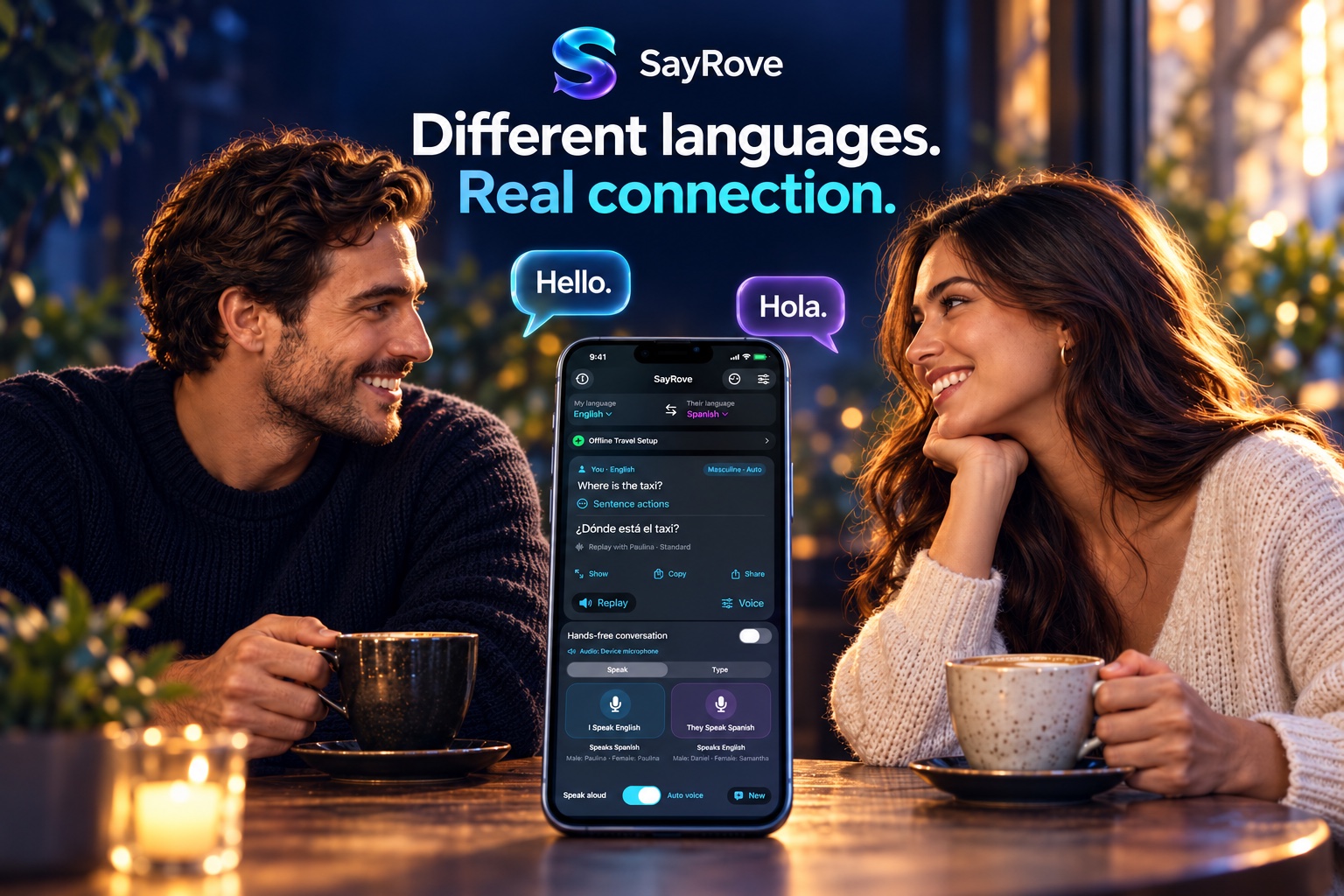
Different languages.
Real connection.
Meet SayRove: spoken and typed translation for iPhone and iPad. Enjoy hands-free conversations, choose your playback voices, and prepare supported languages before you travel.

Books by Matthew C. Elliott
Adventure beyond the world of apps.
Enter the complete six-book Slate Widow Chronicles, discover the epic fantasy The Unheld Sky, or step into the supernatural romance Ashes & Aloe.
Quick demo
From idea to confirmed automation.
The flagship workflow is simple: build visually, run locally, ask Synra for help, and keep important actions under your control.
Build on iPhone
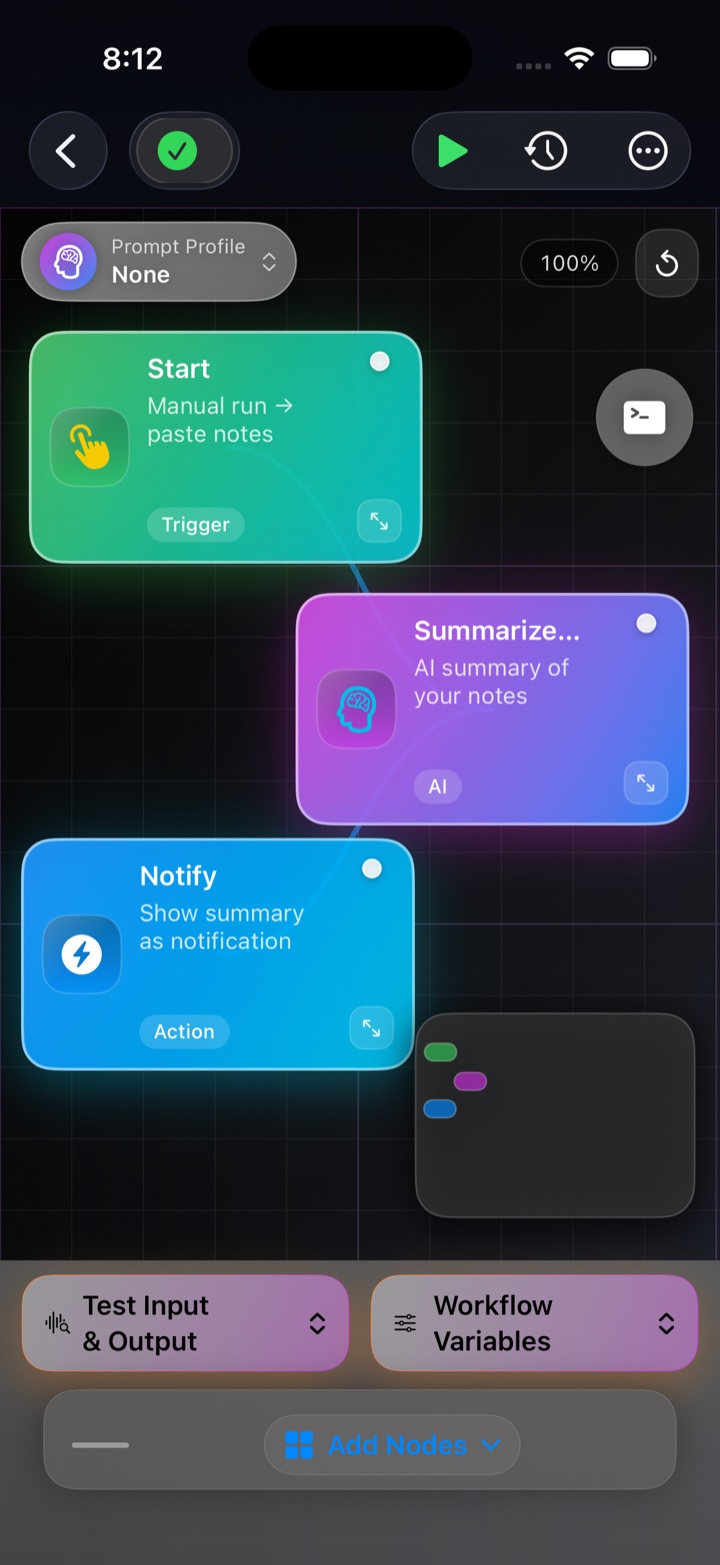
Create a visual workflow in NodeSpark from the device already in your hand.
Run on Mac
Send the workflow to NodeSparkHub for schedules, logs, workers, credentials, and connected devices.
Ask Synra
Review workflow logic, draft improvements, and keep setup decisions visible.
Confirm actions
Keep Home Assistant and sensitive automation actions behind explicit confirmation.
New on the Mac App Store
Synra AI gives your Mac assistant a real presence.
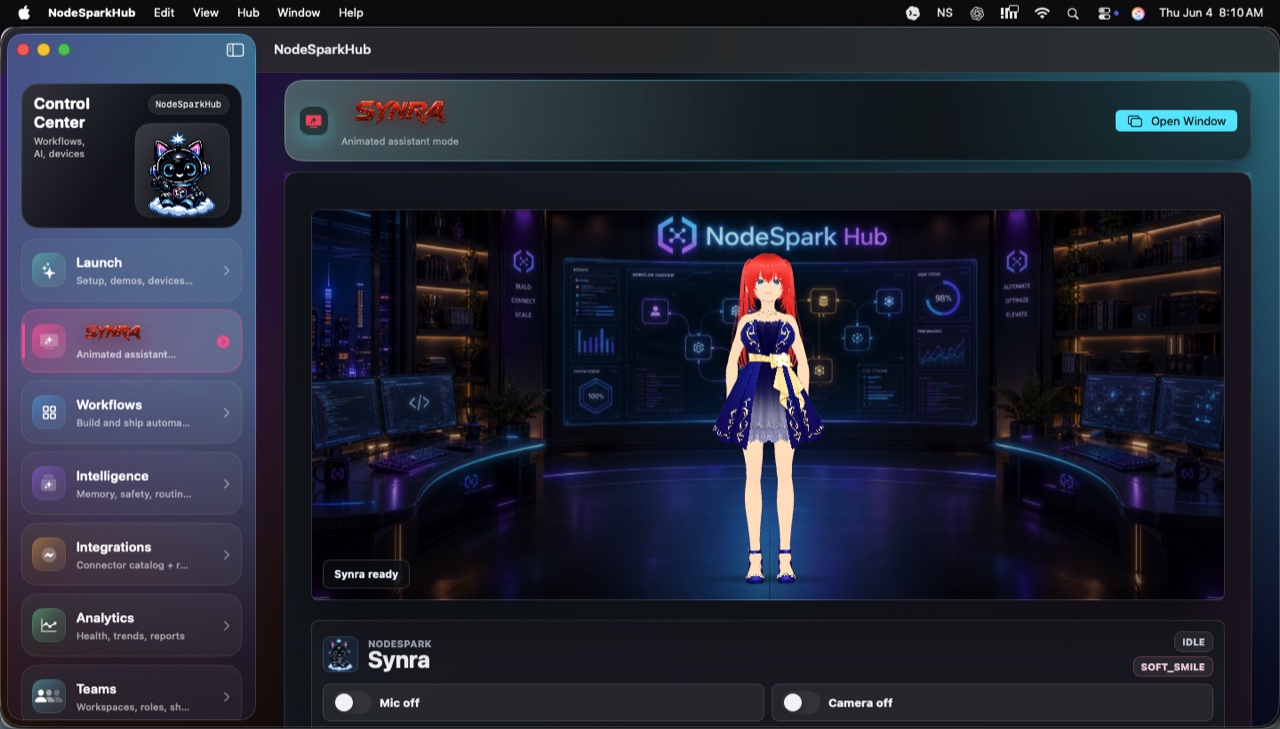
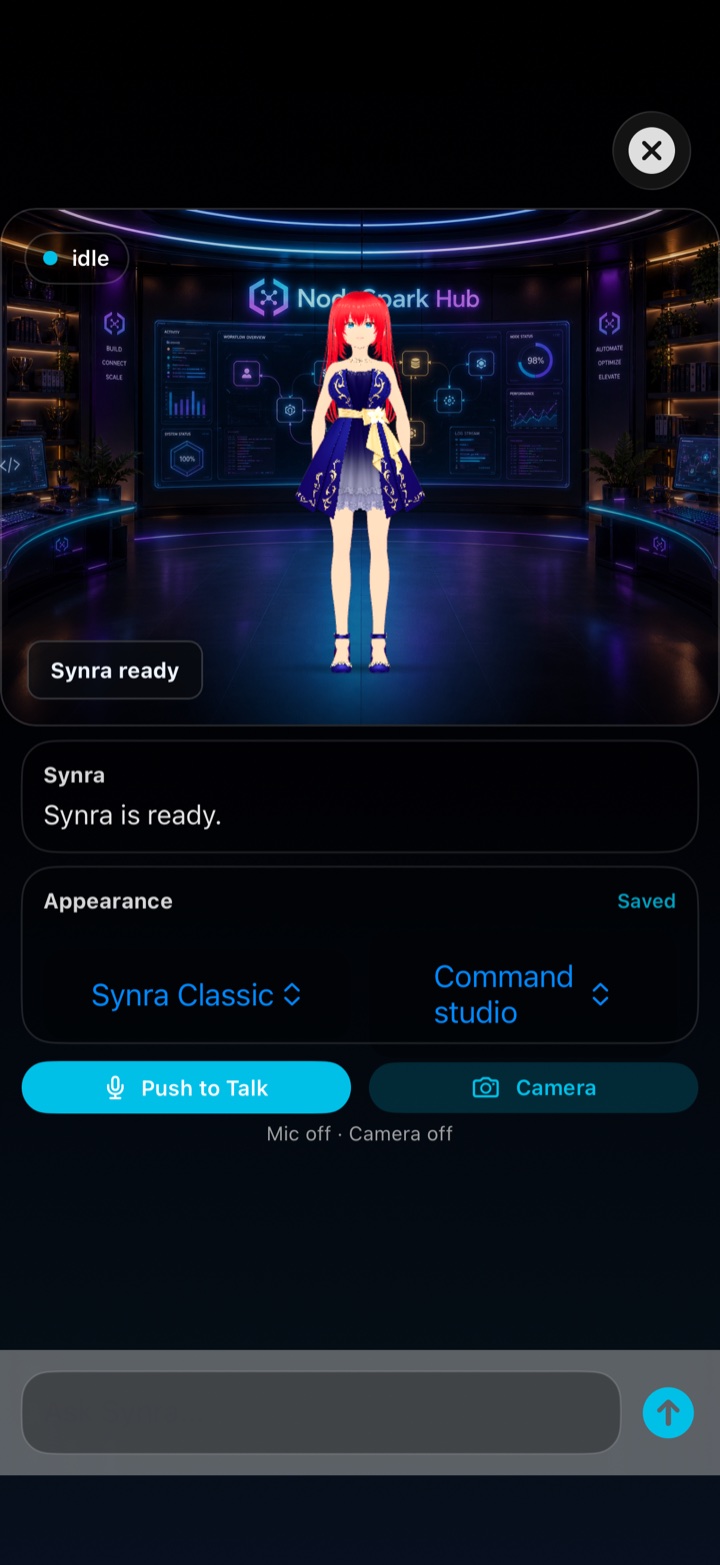
Synra AI is an animated Mac-native assistant for chat, voice, model routing, private file memory, daily briefings, Home Assistant approvals, and routine agents. Connect local models through LM Studio or Ollama, or use supported cloud providers like OpenAI, Anthropic Claude, Google Gemini, Groq, OpenRouter, or a custom OpenAI-compatible endpoint.

Expressive avatar states, model connection checks, command palette actions, private memory, and smart-home approvals come together in one Mac workspace.


Workflow templates
Start with examples users already understand.
Templates make the apps easier to buy because visitors can picture the first useful thing they will automate, review, summarize, or track.
Solo automation
Daily AI Summary
Paste notes or collect daily input, summarize the important points, and send yourself a clean notification or email.
- Summarize notes faster.
- Create a repeatable daily review habit.
- Use NodeSparkHub later for scheduling and logs.
Smart home
Home Assistant Morning Routine
Prepare a safe morning routine that can review devices or scenes, explain what will happen, and ask for confirmation before control.
- Make smart-home control easier to understand.
- Keep actions behind confirmation.
- Position Synra as the premium Home Assistant companion.
Founders + small teams
Founder Weekly Update
Collect wins, blockers, numbers, and next steps, then create a crisp weekly update for customers, teammates, or investors.
- Ship clearer updates.
- Reduce blank-page writing.
- Build a repeatable operating rhythm.
Maintenance teams
Maintenance Shift Handoff
Turn downtime notes, open actions, and equipment status into a cleaner handoff summary between shifts.
- Reduce lost context.
- Make action ownership visible.
- Spot recurring reliability issues.
Contract review
Contract Review Checklist
Scan or import a contract, summarize the key terms, identify risk areas, and prepare negotiation questions.
- Understand contracts faster.
- Create better questions.
- Keep risk review organized.
Personal finance
Subscription Audit
Find recurring charges, review subscriptions, scan receipts, and decide what to keep, cancel, or investigate.
- Find quiet recurring charges.
- Understand spending patterns.
- Build a cleaner personal finance habit.
Live Synra preview
Meet the Mac and Home Assistant AI.
Synra AI previews an animated assistant for Home Assistant control, voice interaction, memory, model routes, daily briefings, and approval-first smart-home actions. This public version is scripted for safe marketing demos.
 Synra demo preview is available. The 3D avatar could not load in this browser.
NodeSpark assistant
Ask Synra how the stack works.
Product proof
The whole automation loop, visible.
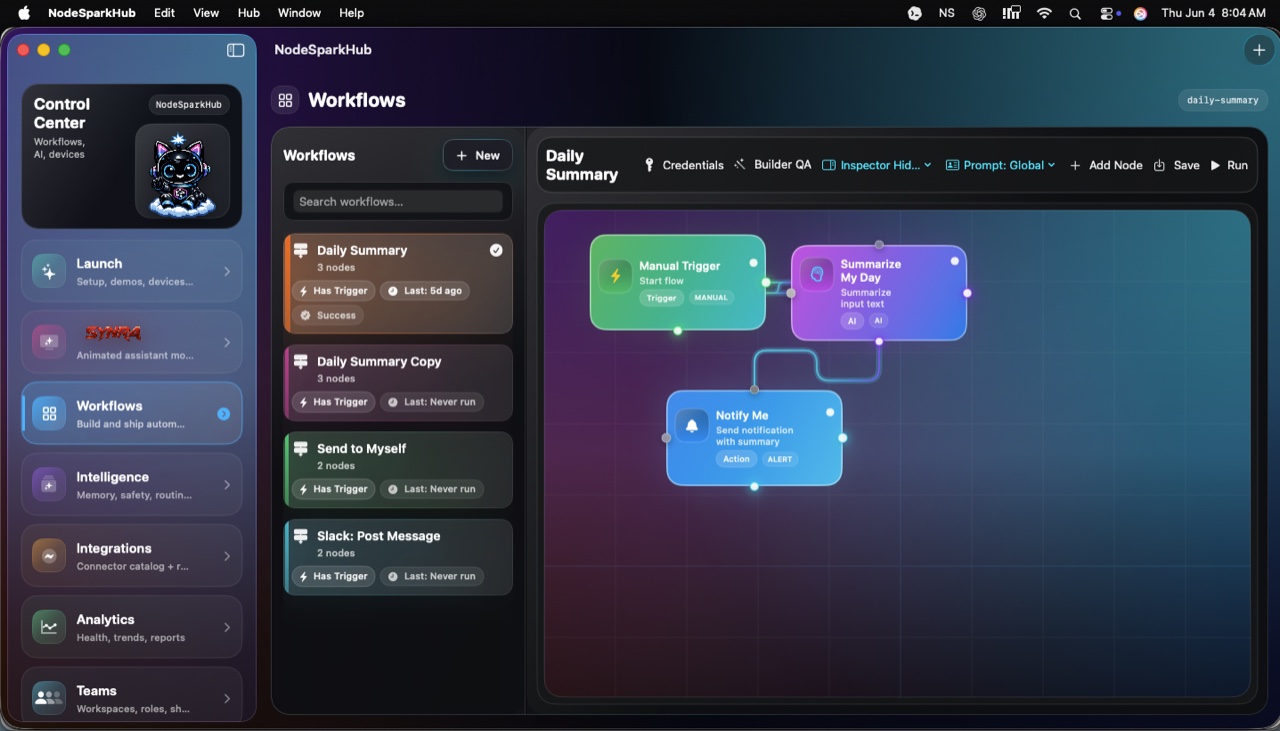
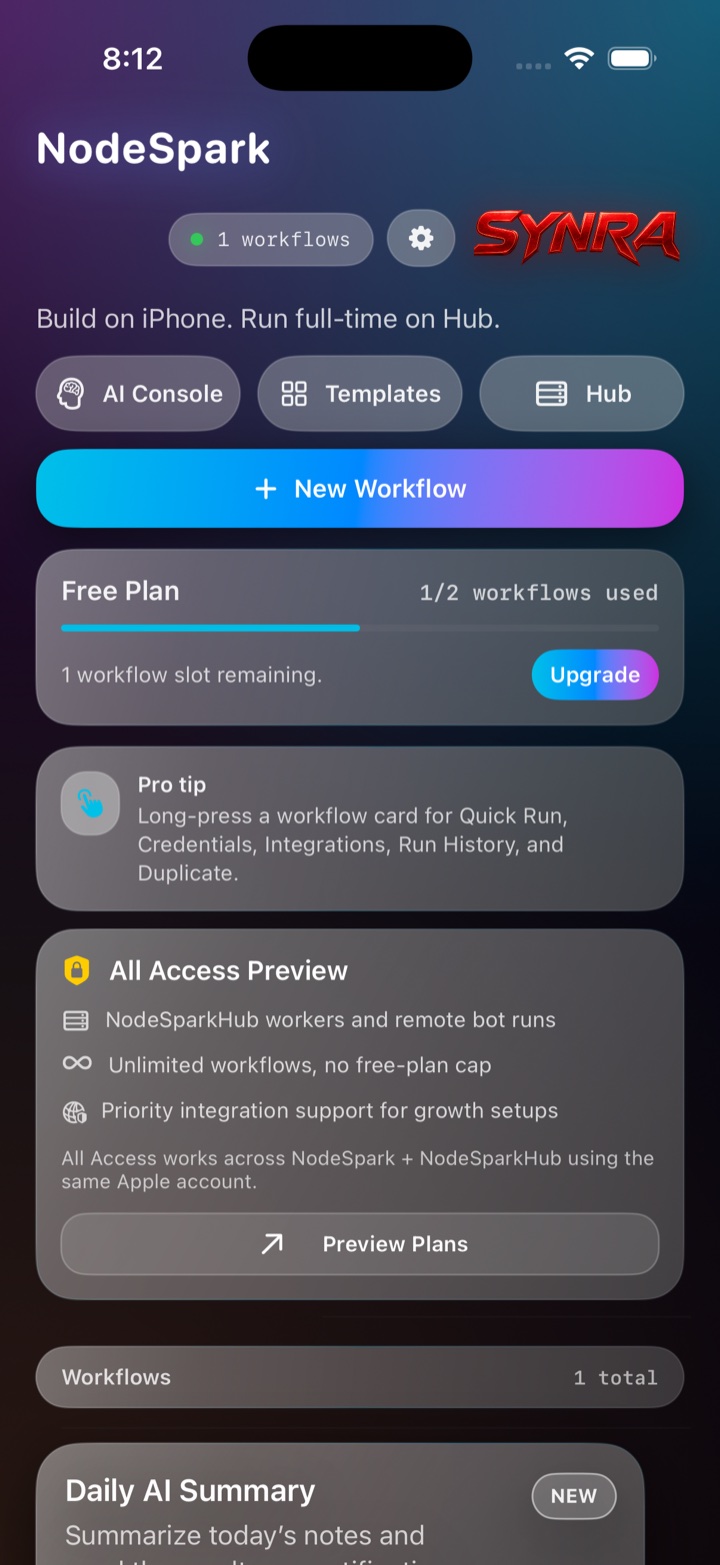
NodeSpark starts on iPhone, NodeSparkHub gives it a Mac command center, and Synra becomes the assistant surface across the system.
Trust
Built for real users, clear boundaries, and safer automation.
Built by Matthew Elliott
Synryzen is an independent app studio with public product pages, support paths, and focused apps for practical work.
Privacy-first tools
Public demos stay public, private Hub data stays private, and sensitive automation details are not exposed on the website.
No private Hub access
The public Synra demo never connects to Matthew’s private NodeSparkHub or any visitor Hub.
Confirmation-gated automation
Workflow runs and smart-home actions are positioned around review and confirmation instead of surprise execution.
Synra AI on the Mac App Store
Synra AI now has a direct Mac App Store path for users who want the animated assistant, voice, model routing, private memory, and Home Assistant approval flows.
App Store downloads
NodeSpark, NodeSparkHub, Synra AI, and the broader Synryzen app lineup use direct App Store links where available, with Synra AI presented as its own Mac and Home Assistant product.
Flagship ecosystem
NodeSpark connects mobile workflows and Mac runtime.
NodeSpark
Build useful workflows from iPhone or iPad without starting from scripts or managing a server.
NodeSparkHub
Run workflows from your Mac, manage workers, schedules, credentials, logs, runtime health, and connected devices.
Synra AI
A separate Mac and Home Assistant app for animated AI, voice, model routes, file memory, daily briefings, and smart-home approvals.
Synra AI has its own product page.
Synra AI is not part of NodeSpark or NodeSparkHub. It is a standalone Mac App Store app focused on Home Assistant, local or cloud model routes, voice, memory, and companion presence.
Why it matters
Build visually
Create repeatable workflows without opening a blank script file.
Run locally
Use your Mac hub when workflows need to stay available beyond your phone.
Stay in control
Add confirmation steps before sensitive actions and grow integrations at your pace.
More from Synryzen
Focused apps for sharper work.
Use cases
Built around real jobs, not generic app-store fluff.
Start with the app that matches what you are trying to improve, then grow into the Synryzen ecosystem as your workflows get deeper.
Built by Matthew Elliott
Synryzen is an independent app studio focused on practical tools for automation, maintenance, documents, finance, and developer productivity.
Stay in the loop
Get Synryzen product updates.
Join the early update list for NodeSpark, NodeSparkHub, Synra, Home Assistant automation notes, App Store releases, and practical workflow ideas.
Tell me what you care about.
Pick the product area and leave a note if you want help choosing where to start.
FAQ