NodeSpark Ecosystem
Build on iPhone. Run from Mac.
NodeSpark is the mobile workflow builder. NodeSparkHub is the always-on Mac command center. Synra is the premium AI workflow operator for NodeSpark: it can explain automations, guide setup, and work with configured Home Assistant actions with user confirmation.
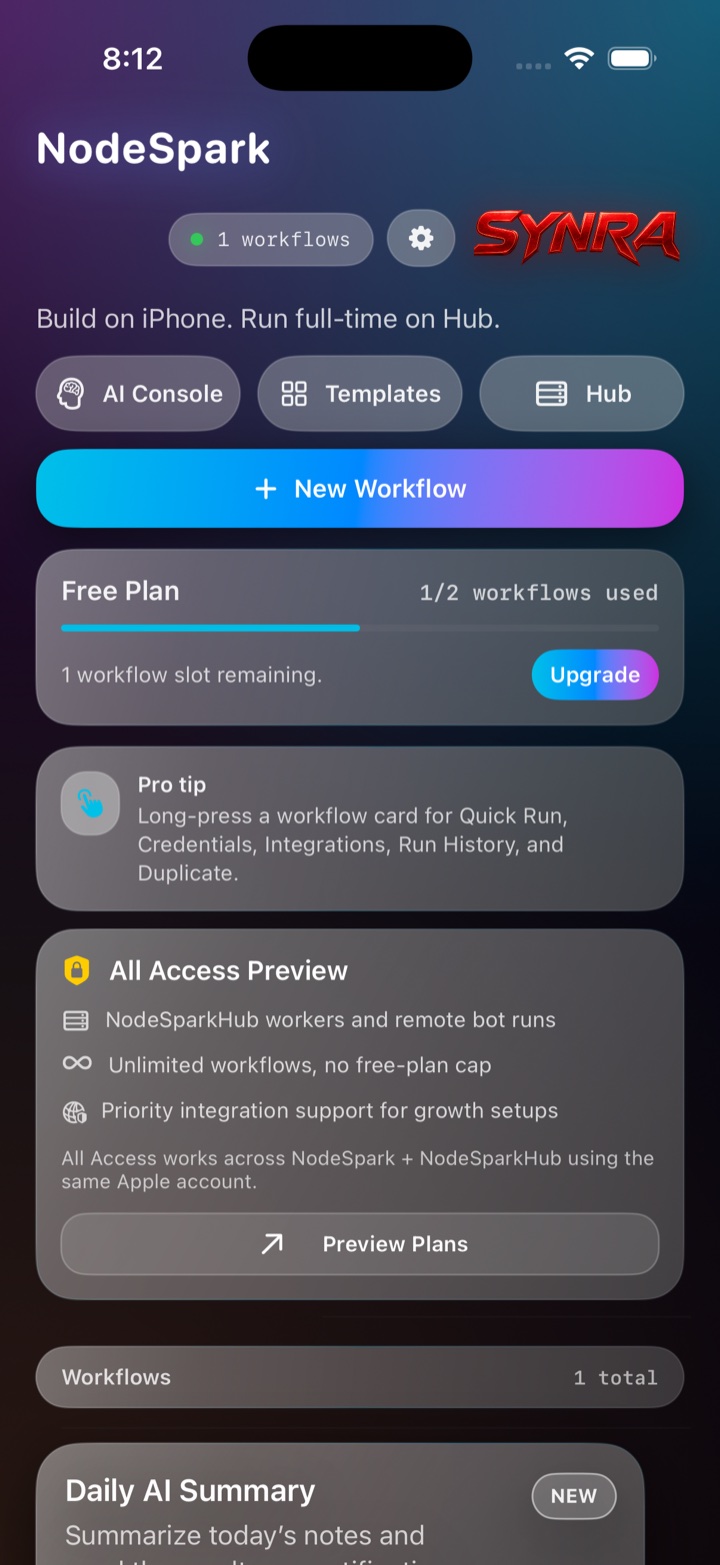
NodeSpark, NodeSparkHub, and Synra work together as the flagship Synryzen automation ecosystem.
The three-part system
NodeSpark
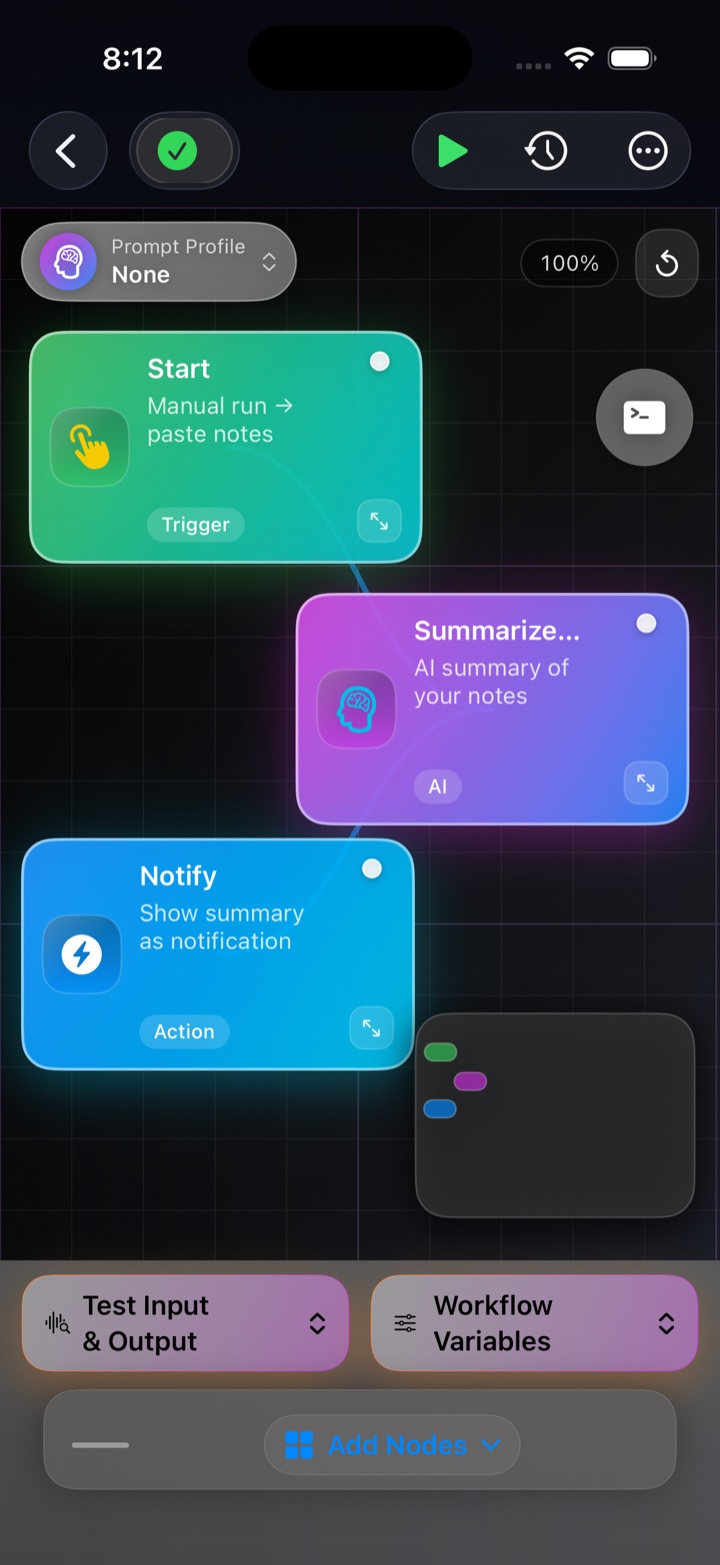
Create workflows from iPhone or iPad with a visual, mobile-first builder.
NodeSparkHub
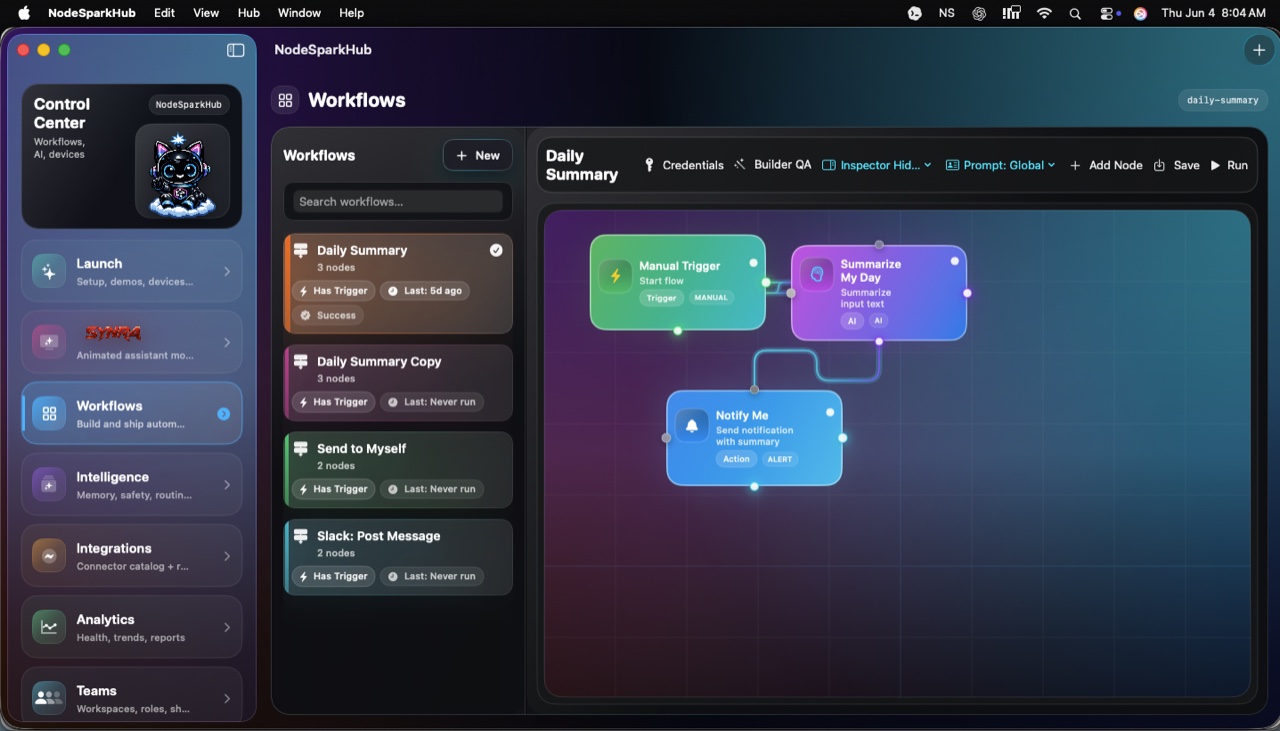
Use your Mac as the always-on automation command center for schedules, workers, logs, credentials, runtime health, and connected devices.
Synra Premium
Download the premium companion runtime from GitHub, then use it alongside NodeSparkHub for assistant-guided automation and Home Assistant control.
Screenshots
Mobile builder, Mac runtime, assistant layer.
These are the actual surfaces users move through: start from the iPhone dashboard, build a workflow visually, then run and inspect it from NodeSparkHub.
Synra Premium
Download Synra from GitHub.
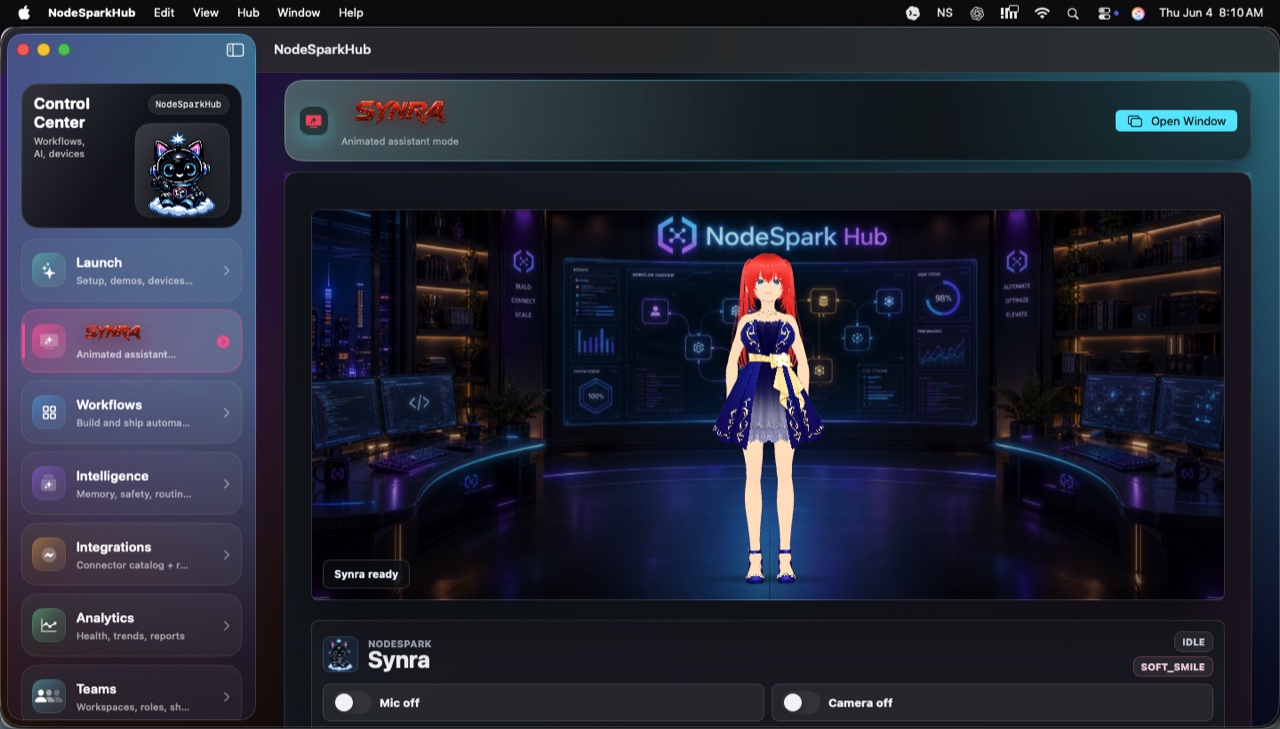
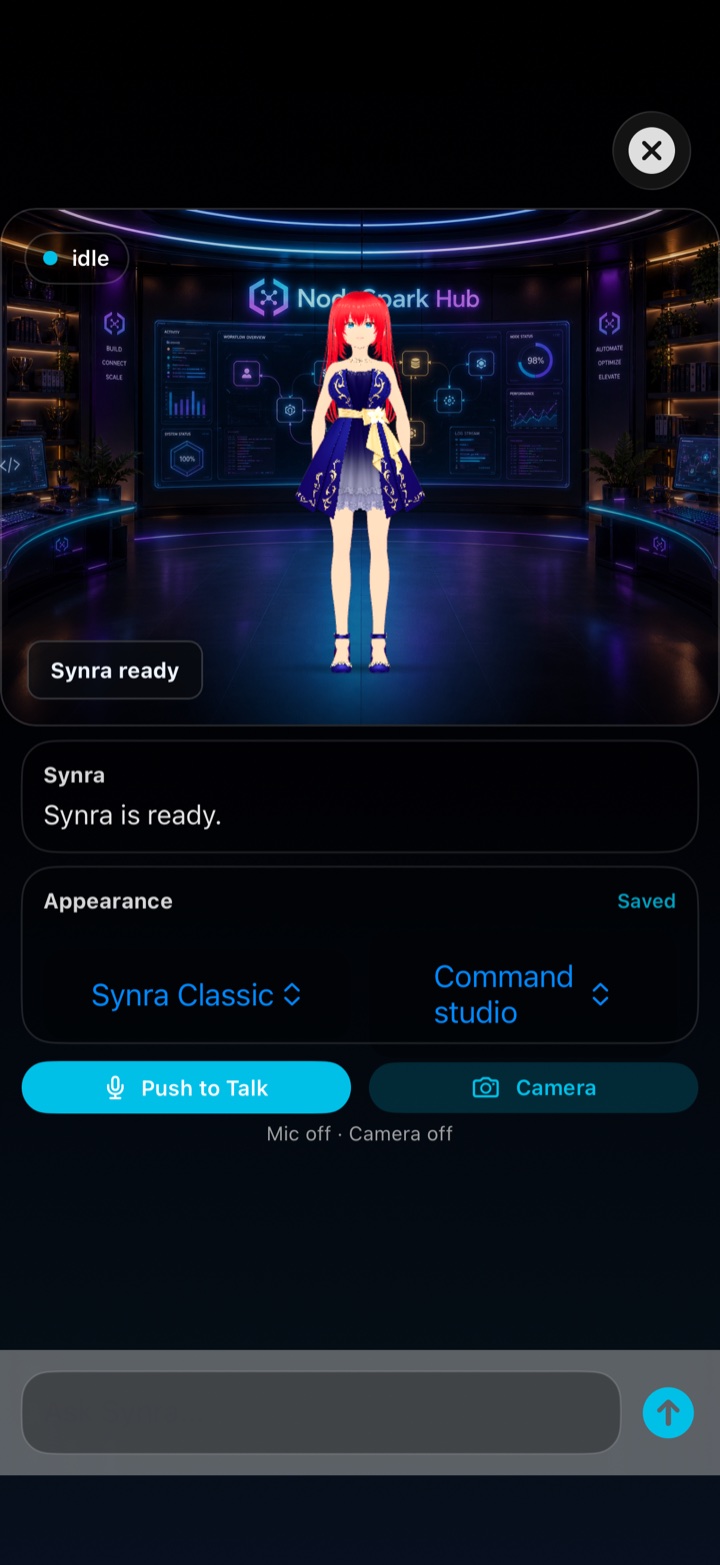
Synra is the premium companion AI runtime for the NodeSpark ecosystem. It is built for users who want a local assistant surface, Jetson deployment, avatar runtime, Home Assistant control, and deeper NodeSparkHub workflows.
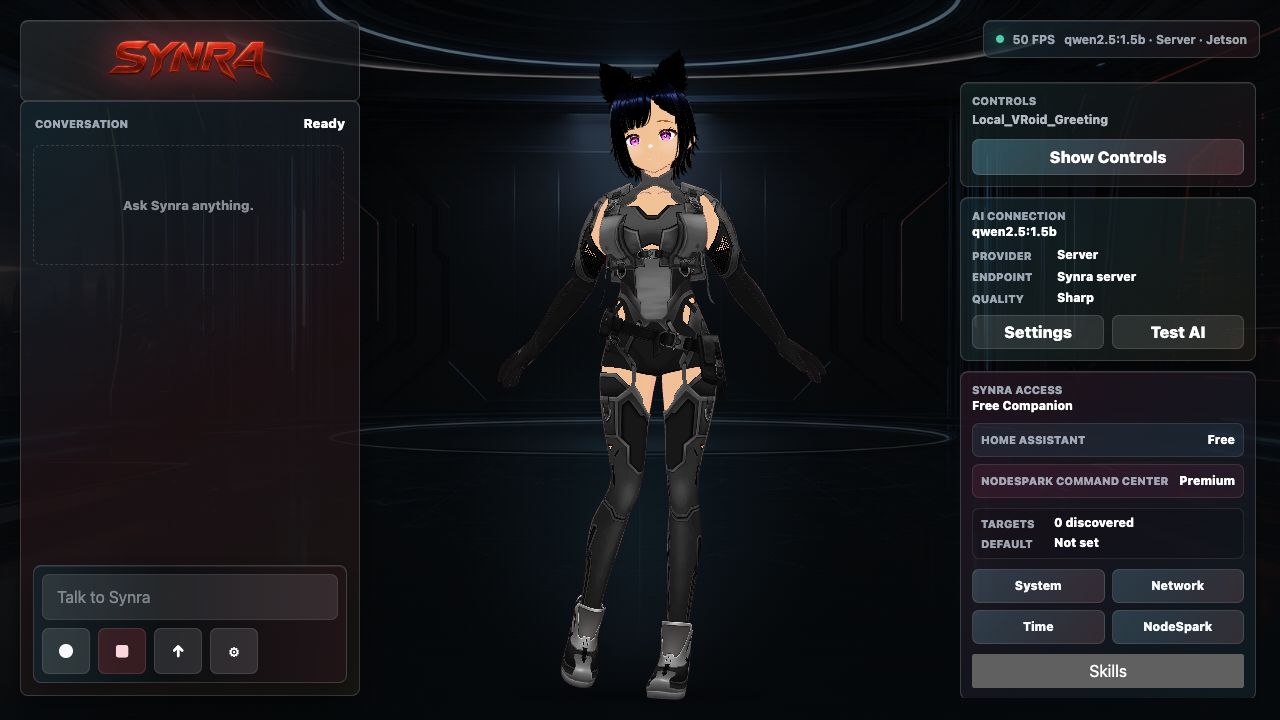
Synra running with avatar, voice/chat controls, local model status, Home Assistant access, and NodeSpark Command Center.
Connects To NodeSparkHub
NodeSparkHub stays the Mac-side automation hub: workflows, schedules, workers, logs, credentials, and connected devices. Synra sits beside it as the assistant layer for explaining workflows, preparing automation ideas, and guiding setup.
Home Assistant Control
Synra works with configured Home Assistant setups so smart-home actions can be requested, reviewed, and confirmed before they run.
Local Or Cloud AI
Synra is designed for local or cloud AI model paths through an OpenAI-compatible server approach, so advanced users can choose the runtime style that fits their setup.
Demo path
See how the system fits together.
Build on iPhone
Create a visual workflow in NodeSpark from the device already in your hand.
Run on Mac
Send the workflow to NodeSparkHub for schedules, logs, workers, credentials, and connected devices.
Ask Synra
Use Synra to explain workflow logic, draft improvements, and help guide setup.
Confirm actions
Keep Home Assistant and sensitive automation actions behind explicit confirmation.
For power users and lean teams
- Build repeatable workflows without maintaining custom server glue.
- Connect team channels, webhooks, credentials, schedules, and app actions as the system grows.
- Use local or cloud AI paths where configured.
- Add confirmation steps before sensitive workflow or smart-home actions.
Explore common setups
These pages explain the most marketable NodeSpark and Synra workflows in plain language.
FAQ
Common questions
How do NodeSpark and NodeSparkHub work together?
NodeSpark builds workflows on iPhone or iPad. NodeSparkHub runs, schedules, monitors, and debugs those workflows from your Mac.
What makes NodeSparkHub different?
NodeSparkHub is the always-on automation command center for NodeSpark, with schedules, logs, workers, credentials, runtime health, and connected devices.
Where does Synra fit?
Synra is the premium AI workflow operator for the ecosystem. It helps draft, explain, troubleshoot, and guide automations alongside NodeSparkHub.
Can Synra connect to Home Assistant?
Yes, Synra can work with configured Home Assistant setups, with sensitive actions reviewed and confirmed before they run.