Solo Automation
NodeSpark for Solo Automation Power Users
Build useful workflows without waiting on a team, a server project, or a pile of custom scripts. NodeSpark gives solo builders a mobile workflow builder, NodeSparkHub gives those workflows a Mac runtime, and Synra helps explain what to build next.
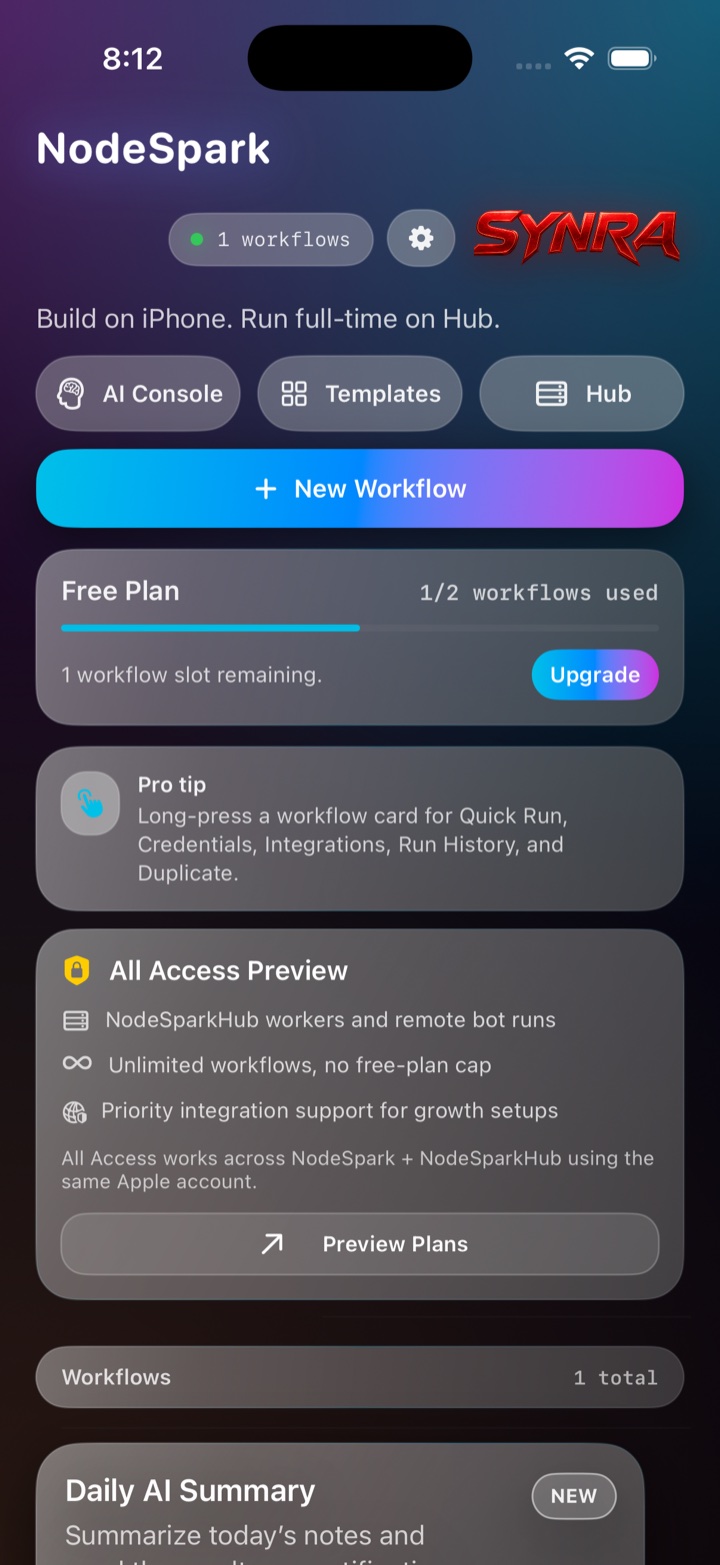
NodeSpark, NodeSparkHub, and Synra work together as the flagship Synryzen automation ecosystem.
Why this matters
Start from your phone
Capture the automation idea where it happens and turn it into a visual workflow on iPhone or iPad.
Graduate to the Hub
Move serious workflows to NodeSparkHub when they need schedules, logs, credentials, workers, or uptime.
Use Synra as a thinking partner
Ask Synra to explain a workflow idea, suggest nodes, or identify the step that should stay manual.
How to think about the workflow
- Pick one repeated task you do every week.
- Build the smallest useful workflow in NodeSpark.
- Run it manually until it feels trustworthy.
- Move it to NodeSparkHub when it needs schedules or logs.
- Use Synra to refine the workflow and explain the next improvement.
Solo builder path
A practical loop for one-person automation.
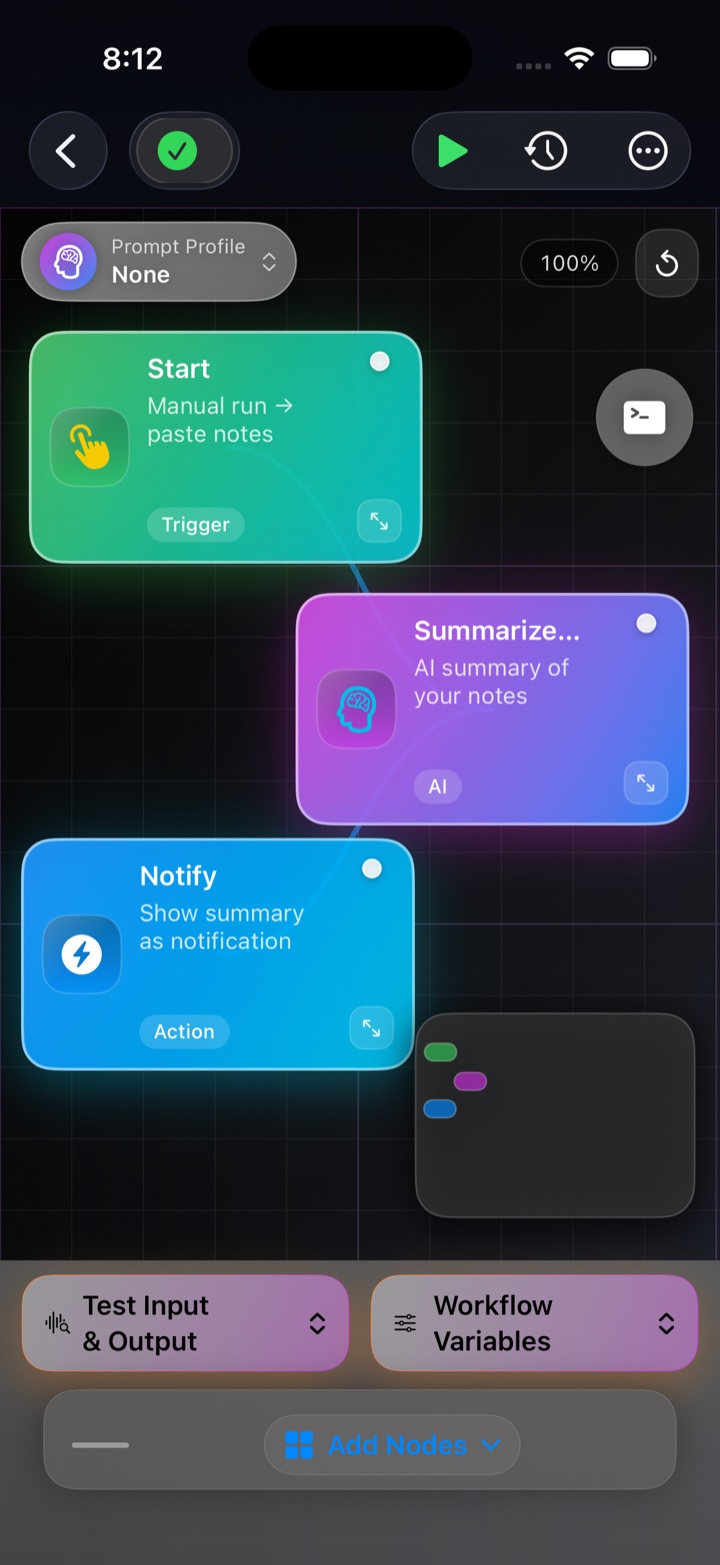
Start with the mobile dashboard, build visually, then move into the Mac hub only when the workflow earns it.
Example workflows
- Daily AI Summary for notes or task capture.
- Personal reminder workflow for recurring admin work.
- JSON payload builder for repeat API or config work.
- Subscription audit routine with GhostLedger.
- Research digest workflow with BookGlass.
Need help choosing?
Synryzen is built for practical users who want tools they can actually put to work. Start with the app, then connect deeper pieces as your workflow grows.
Related pages
Stay in the loop
Get Synryzen product updates.
Join the early update list for NodeSpark, NodeSparkHub, Synra, Home Assistant automation notes, App Store releases, and practical workflow ideas.
Tell me what you care about.
Pick the product area and leave a note if you want help choosing where to start.
FAQ
Common questions
Who is this page for?
Solo automation power users who want practical workflows without building and maintaining a custom automation server first.
Should I start with NodeSparkHub?
Start with NodeSpark if you want to build visually on iPhone or iPad. Add NodeSparkHub when the workflow needs always-on Mac runtime behavior.
Where does Synra help?
Synra helps explain workflow logic, draft ideas, guide setup, and keep sensitive actions understandable.